
Free YouTube Video Downloader
Download YouTube videos in various formats instantly. Fast, free, and no installation required.
Enter a YouTube URL to download video or audio in various formats.
Make sure your downloads do not infringe the rights of others.
This tool cannot download copyrighted music.
How to Download YouTube Videos & Audio?
Convert your favorite videos to files in 3 simple steps.
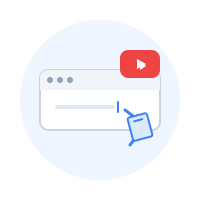
Step 1: Paste Video URL
Copy the YouTube video link you want to download and paste it into NoteAI.

Step 2: Choose Format
Select the video (MP4/WebM) or audio (MP3/WebM) format you need.
Step 3: Download Instantly
Click the download button. If direct download fails, you can right-click and choose 'Save As'.
Frequently Asked Questions
Yes, NoteAI YouTube Downloader is permanently free and requires no login.
Downloads may fail due to copyright, regional restrictions, or age limits. Also, ensure the link is public.
We strongly recommend using Google Chrome for the best compatibility if you encounter issues.
Links expire after a while. If a link fails, refresh the page and enter the URL again to generate a new one.
Click the download button. If it plays in a new tab, right-click the video/audio player and select 'Save Video As' or 'Save Audio As'.
No. You can use the downloader as a guest without providing any personal information.