
YouTube AI Summarizer: Get Key Insights from Any Video Fast
Use NoteAI to summarize supported YouTube videos, review transcripts, and turn the most useful ideas into notes, mind maps, and Insight Cards.
Trending Videos

How to Make Stress Your Friend | Kelly McGonigal | TED
TED

Everything you think you know about addiction is wrong | Johann Hari | TED
TED
Sleep Is Your Superpower | Matt Walker | TED
TED

How childhood trauma affects health across a lifetime | Nadine Burke Harris | TED
TED

The Brain-Changing Benefits of Exercise | Wendy Suzuki | TED
TED
More summary tools
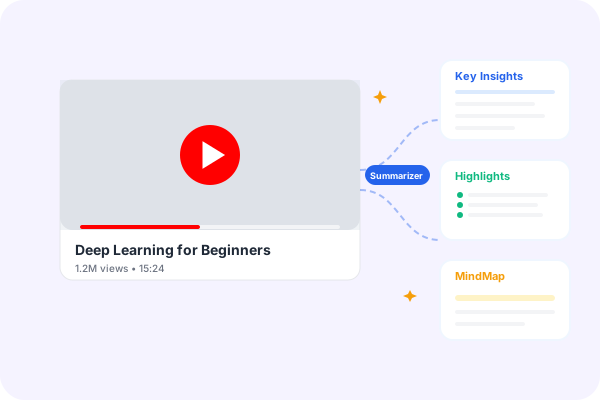
What Is a YouTube AI Summarizer?
A YouTube AI Summarizer converts an available video transcript into a shorter, organized explanation of the main ideas. Instead of scrubbing through a long lecture, podcast, interview, webinar, or tutorial to find one important section, you can first review the topic, key arguments, examples, and action items. The original video still matters: the summary acts as a guide that helps you decide where to watch more closely.
NoteAI combines this first overview with transcript access and reusable knowledge formats. You can keep important passages as notes, arrange related ideas in a mind map, or present selected takeaways as an Insight Card. This makes the workflow useful for study, research, content planning, and professional review without treating an AI-generated summary as a replacement for the source.
Why Use NoteAI's YouTube AI Summarizer?
Summarize Long YouTube Videos Faster
Turn lectures, podcasts, interviews, tutorials, and webinars into focused summaries without watching every minute. NoteAI organizes the main ideas so you can decide what deserves a closer look.
Extract Key Points with AI
Identify important arguments, decisions, action items, examples, and chapter-style themes from the available transcript instead of searching through a long timeline by hand.
Work Across 40+ Languages
Create transcripts and summaries for supported videos in more than 40 languages, then review global research, lessons, and industry content in the language that works for you.
From Video Summary to Reusable Knowledge
Turn a Summary into Useful Knowledge
Move beyond a short paragraph. Organize a YouTube video into structured notes, a visual mind map, or an Insight Card that makes important ideas easier to review, present, and share.
Build a Reusable Research Library
Keep transcript highlights and takeaways together, then connect them with summaries from PDFs and webpages inside NoteAI. Your research stays searchable instead of disappearing in browser tabs.
YouTube AI Summarizer vs. Manual Watching and Basic Tools
Choose the workflow that matches your goal. Manual viewing gives full context, while NoteAI helps you reach the important sections sooner and keeps the source available for verification.
| Capability | Watch manually | Basic summarizer | NoteAI |
|---|---|---|---|
| Time to first insight | Usually follows the full video length | Short text output | Focused overview before deeper review |
| Transcript access | Search and copy points yourself | Varies by tool | Transcript and summary in one workflow |
| Key-point structure | Create your own notes | Often one generic summary | Key ideas, outlines, and reusable notes |
| Visual knowledge formats | Create them separately | Usually unavailable | Mind maps and Insight Cards |
| Language coverage | Depends on the viewer | Limited or inconsistent | 40+ supported languages |
| Knowledge reuse | Scattered personal notes | Copy and paste the result | Connect video, PDF, and web research |
How to Summarize a YouTube Video in 3 Steps
Paste a supported public YouTube link, generate the transcript and summary, then verify and reuse the most valuable ideas.
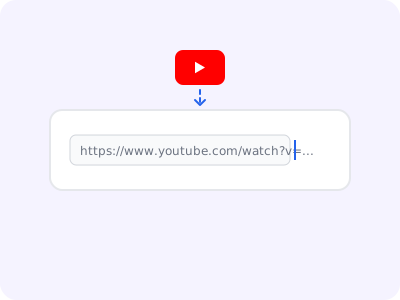
Paste a YouTube Link
Copy the URL of a public YouTube video or playlist with accessible subtitles and paste it into the YouTube AI Summarizer.
Generate the Transcript and Summary
NoteAI reads the available transcript, identifies the structure of the video, and produces a clear summary with the most useful points.

Review, Verify, and Reuse
Compare important details with the source, save useful notes, or transform the result into a mind map or Insight Card.
Tips for Better YouTube Summaries
Use a Public Video with Captions
Choose a video that is publicly accessible and has subtitles or a usable transcript. Private, removed, region-blocked, or captionless videos may not be processed.
Match the Output Language
Select the language you want to read before regenerating a result. This is especially useful when the source and your working language are different.
Verify Facts and Quotations
AI summaries can miss nuance. Check names, numbers, quotations, medical claims, legal statements, and other critical details against the original video and transcript.
Turn Insights into Action
Save the useful points as notes, group related ideas in a mind map, or create an Insight Card so the result supports study, planning, or team communication.
Who Can Benefit from a YouTube Summarizer?
Students and Researchers
Review lectures, conference talks, documentaries, and explainers. Capture definitions, arguments, evidence, and study notes before returning to the most relevant moments in the source video.
Creators and Marketers
Study interviews, tutorials, customer conversations, and industry channels. Convert useful ideas into content briefs, outlines, scripts, and research references without copying the original creator.
Professionals and Teams
Catch up on product demos, training sessions, webinars, and recorded discussions. Share the decisions and next steps while keeping the transcript available for verification.
Start Summarizing YouTube Videos for Free
Get a clear first overview of a supported YouTube video, then explore its transcript, key points, mind map, and Insight Card.
Want the Full Video Text?
Use the AI summary for a fast overview, then open the YouTube Transcript Downloader when you need the complete text, timestamps, TXT, or subscriber-only SRT.